Private document intelligence

Your documents,
in focus.

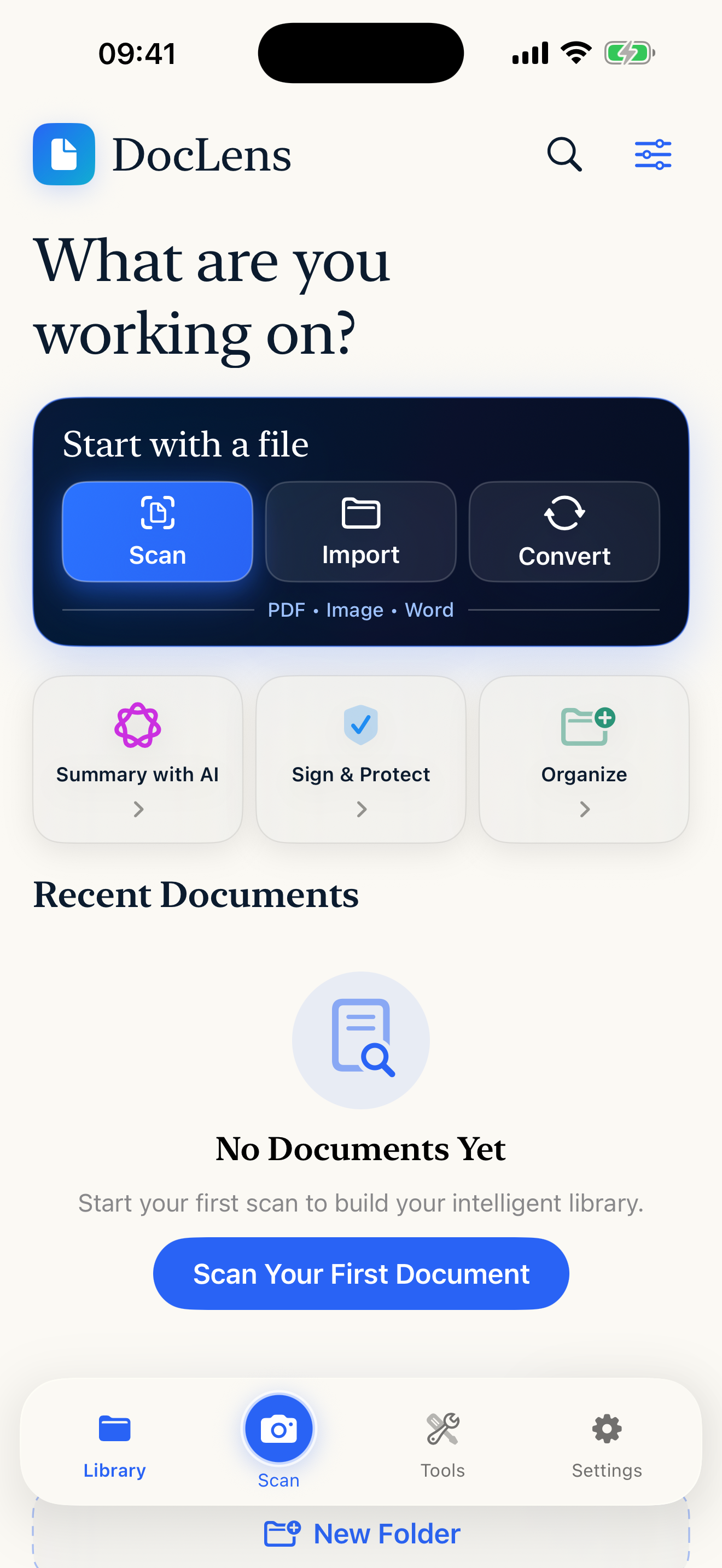
Scan, read, convert, sign and organize every document in one precise workspace.

Designed for iPhone · iPad · Private by design

DocLens Pro Visual Archive on iPhone
SCANUNDERSTANDSHARE

Designed for iPad

Every workflow.
Full size.

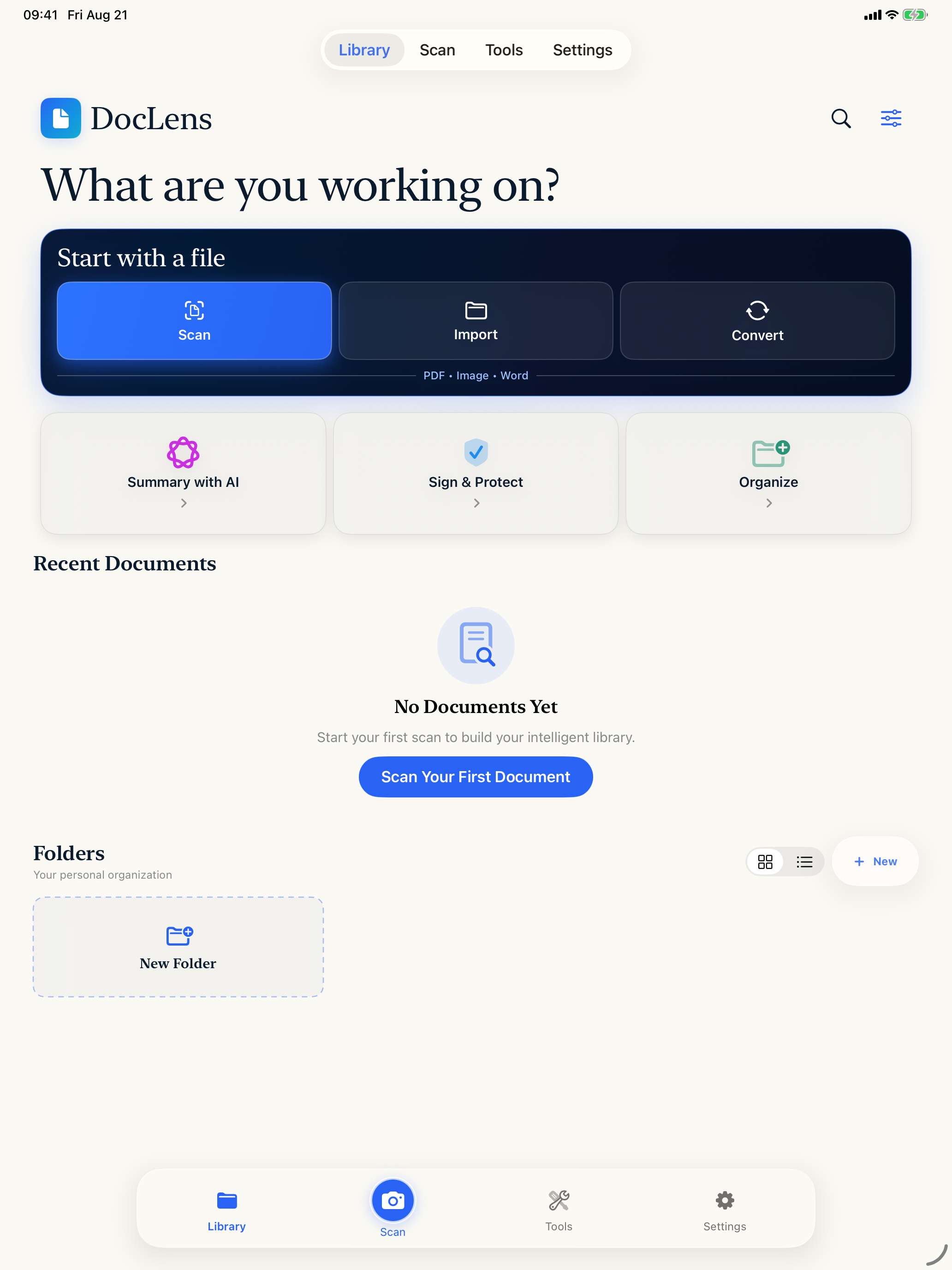
Move through your archive, scans, summaries, reading and conversion tools with room to think.

DocLens Pro Visual Archive on iPad

One private studio

From paper to finished file.

01

Capture clearly.

Smart edge detection, perspective correction and OCR turn paper into useful files.

  • Automatic document, ID and book detection
  • Perspective correction with clean, vivid and B&W filters
  • Searchable OCR text from scans and imported images
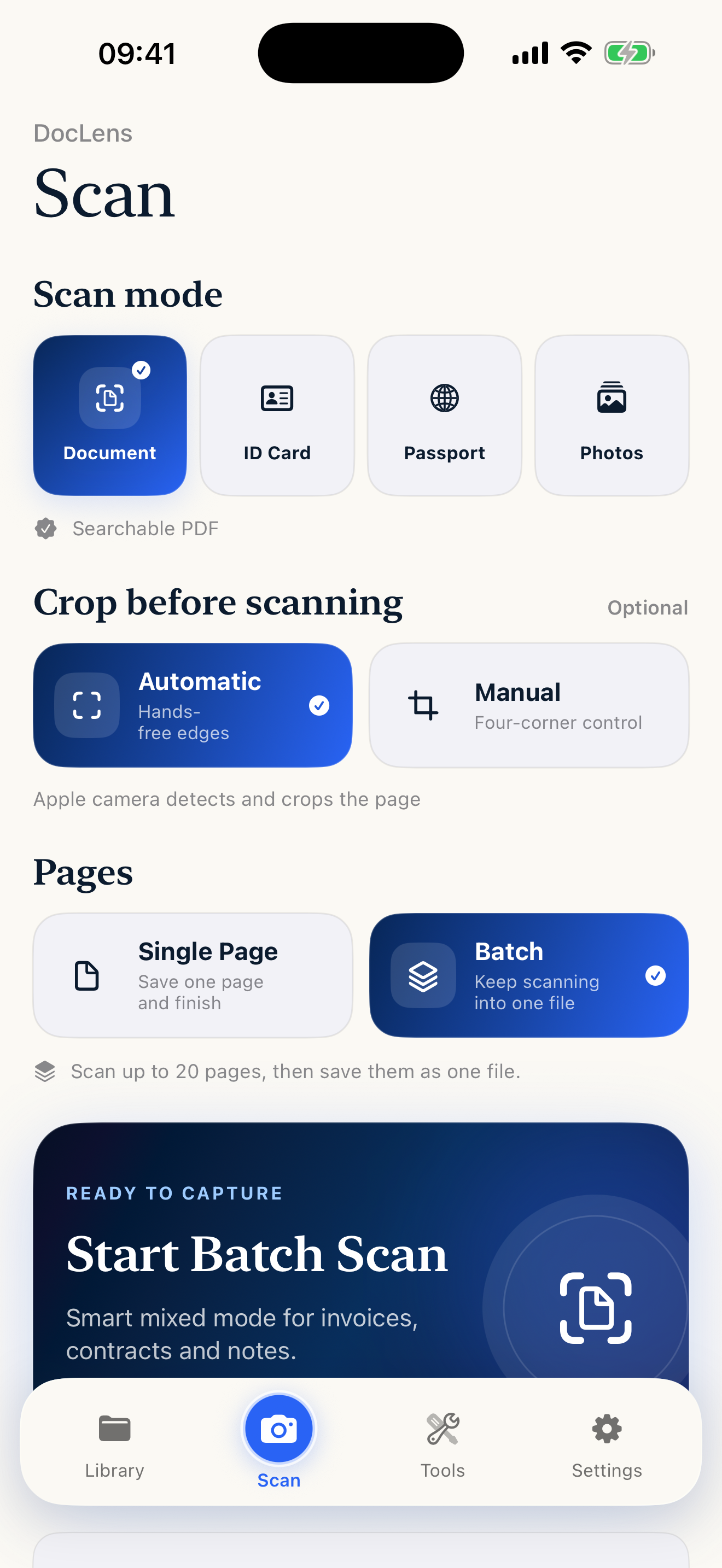
Smart Scan and OCR
02

Understand instantly.

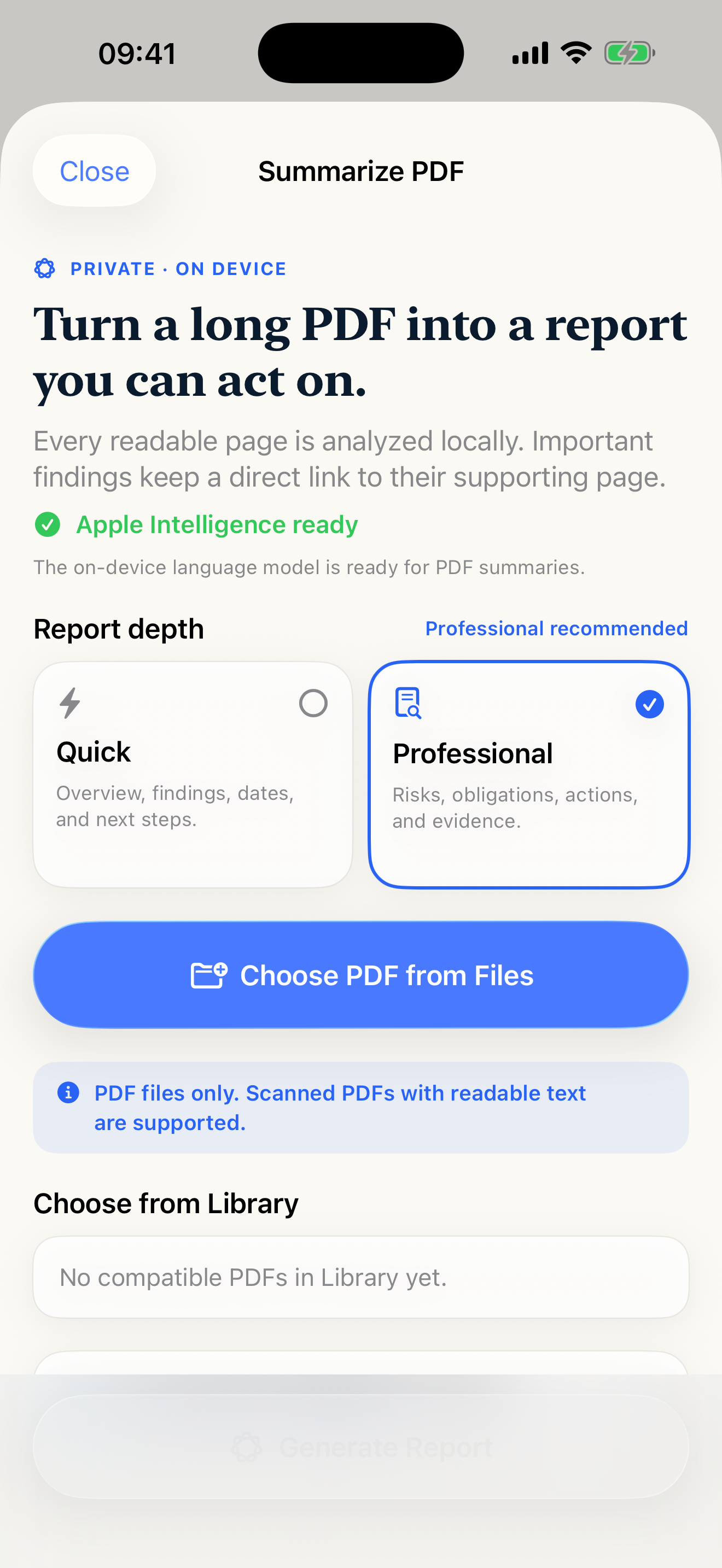
Read, search and create Apple Intelligence summaries without losing the source.

  • Private on-device summaries with adjustable depth
  • PDF search, thumbnails, outlines and bookmarks
  • Direct references keep every insight connected to its page
Apple Intelligence summaries
03

Finish beautifully.

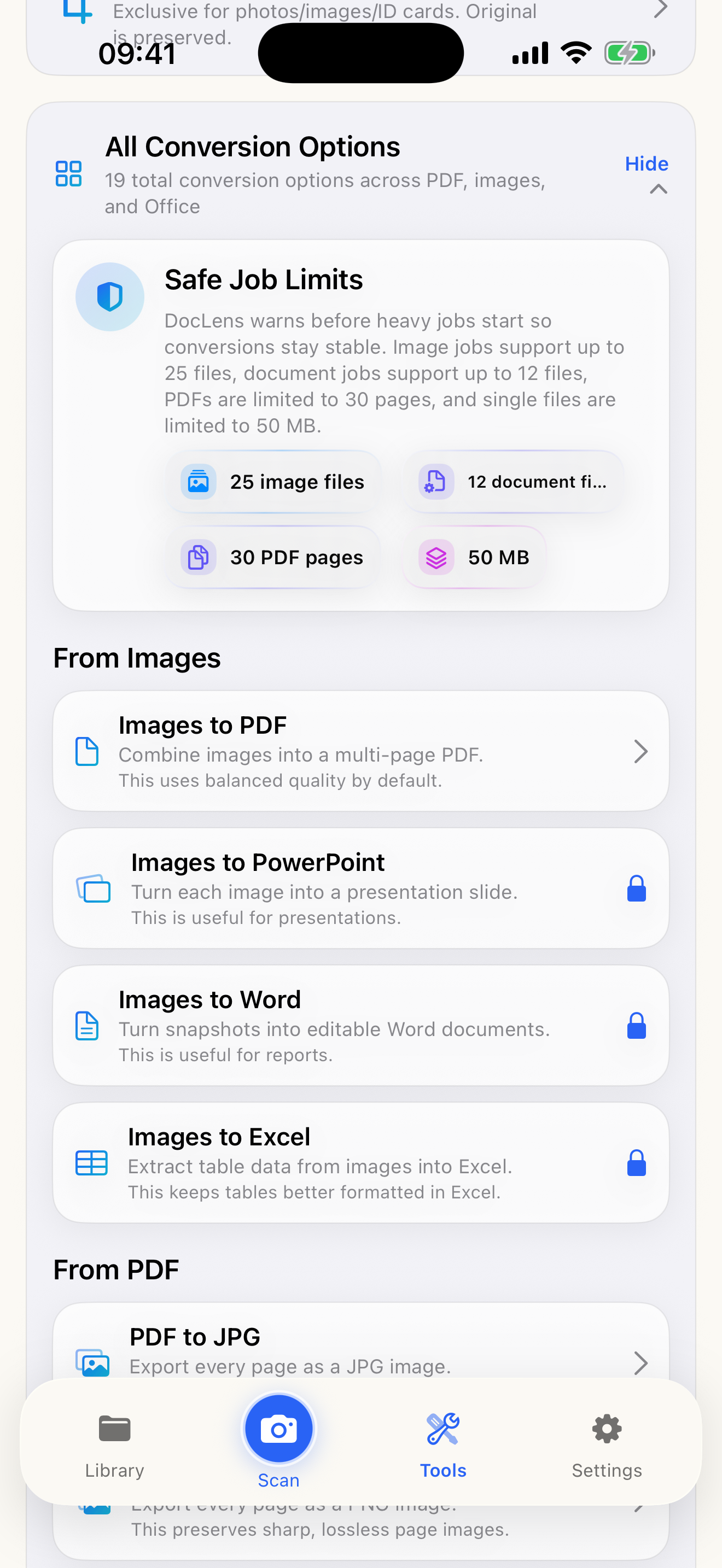
Convert, annotate, sign, protect and share — individually or in batches.

  • PDF, Word, Excel, PowerPoint and image conversions
  • Signatures, annotations, watermarks and password protection
  • Batch workflows with organized folders and fast sharing
Document conversion tools

People using DocLens Pro

Documents are personal.
So are the stories.

Portrait conversations about the app — not screen recordings.

REAL STORY

“I can scan, understand and send a document without jumping between apps.”

Professional workflow · DocLens Pro
REAL STORY

“On iPad, the whole document workflow finally has space to breathe.”

iPad workflow · DocLens Pro

The Vanguard collection

Focused apps.
One studio.

Continue with more independent apps for work, time, travel and reflection.

Web experiences

Powerful tools.
No download.

Open focused Vanguard tools directly in your browser — fast, responsive and ready on every screen.